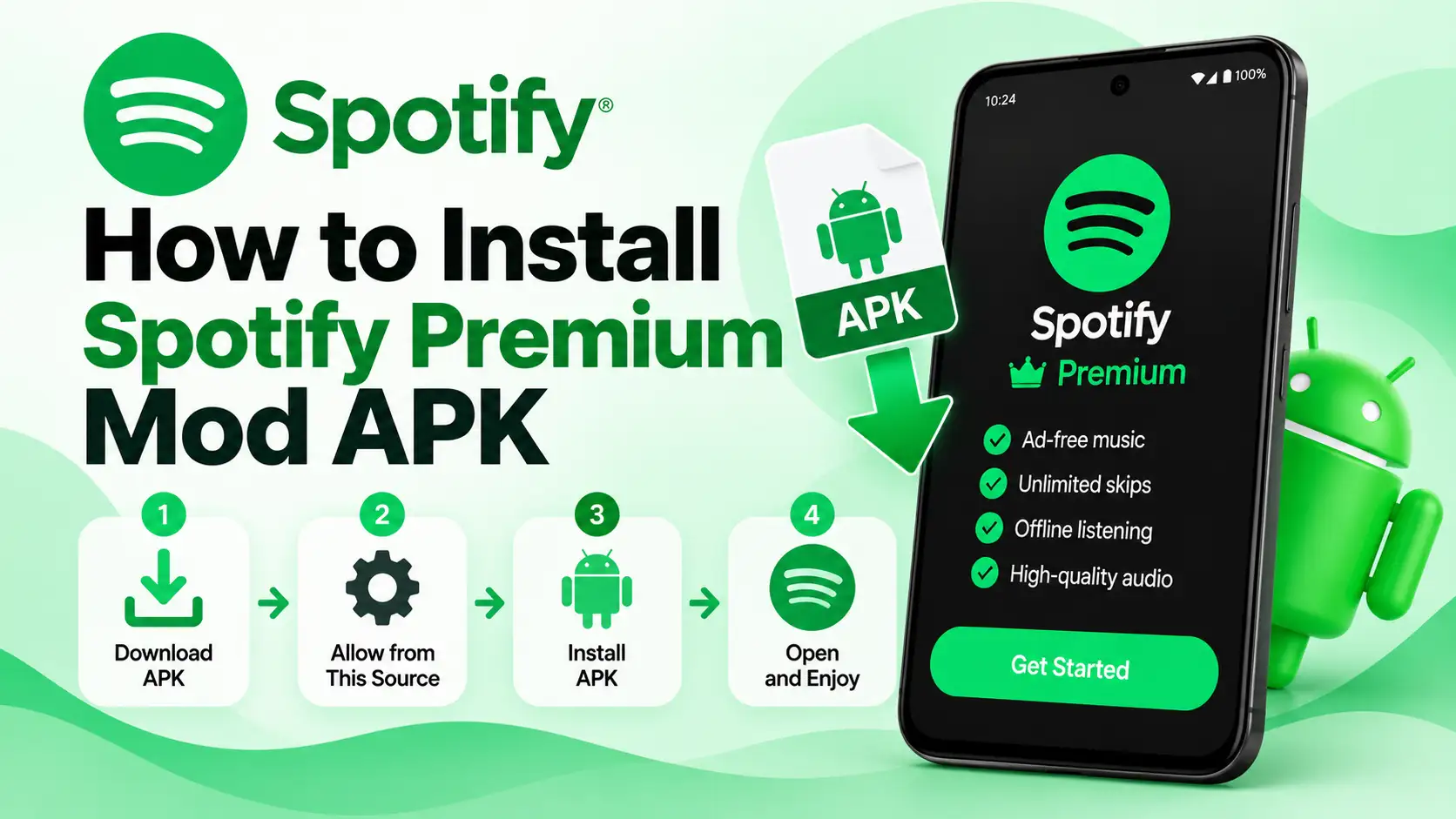
How to Install Spotify Premium Mod APK
Installing Mod version of Spotify on Android requires a few extra steps because the APK is installed manually instead of through the Google Play Store. When installing the modded version, Android will ask you to allow installations from the browser or file manager you used to open the APK.
Below are the same steps we followed to install the app and open it successfully.
Before You Install
Before installing, make sure your phone has enough free storage and runs Android 5.0 or newer.
Here are the details of the APK used for this installation:
APK Information
| Information | APK Details |
|---|---|
| App | Spotify |
| Version | 8.9.18.512 |
| Version Code | 111414784 |
| File Size | 79.11 MB |
| Minimum Android | Android 5.0 (API 21) |
| Target Android | Android 14 (API 34) |
| Package Name | com.spotify.music |
In case you want to use Spotify on a Windows PC, you can check out this guide.
How to Install Spotify MOD Version
We installed this build on an OPPO A5x running Android 16. The steps below follow the same installation process we used during testing.
Step 1: Download APK File
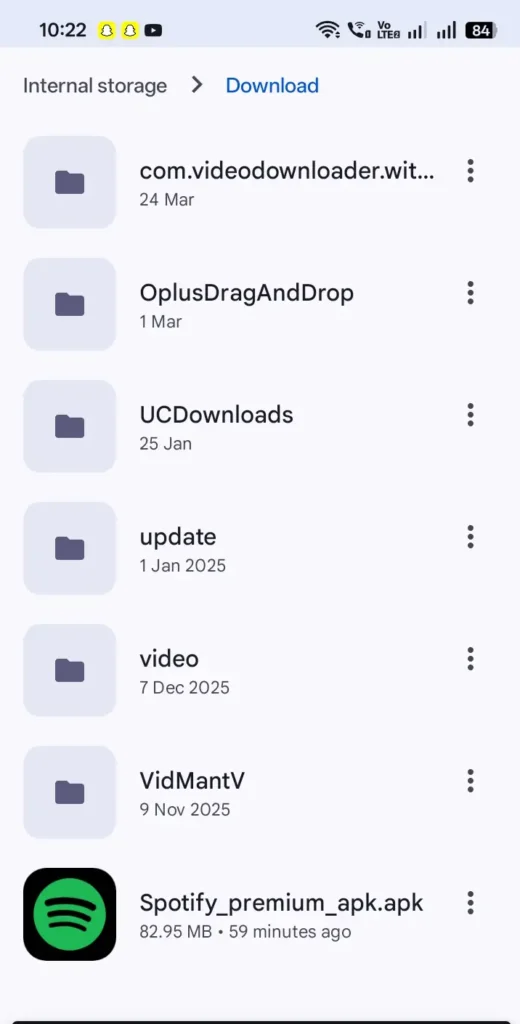
Download the Spotify Premium MOD APK file from our site. Wait until the 79.11 MB file has finished downloading before opening it.
Step 2: Open the APK File
Once the download is complete, tap the downloaded Spotify APK. You can usually find it in your browser’s Downloads section, the download notification, or your phone’s file manager.
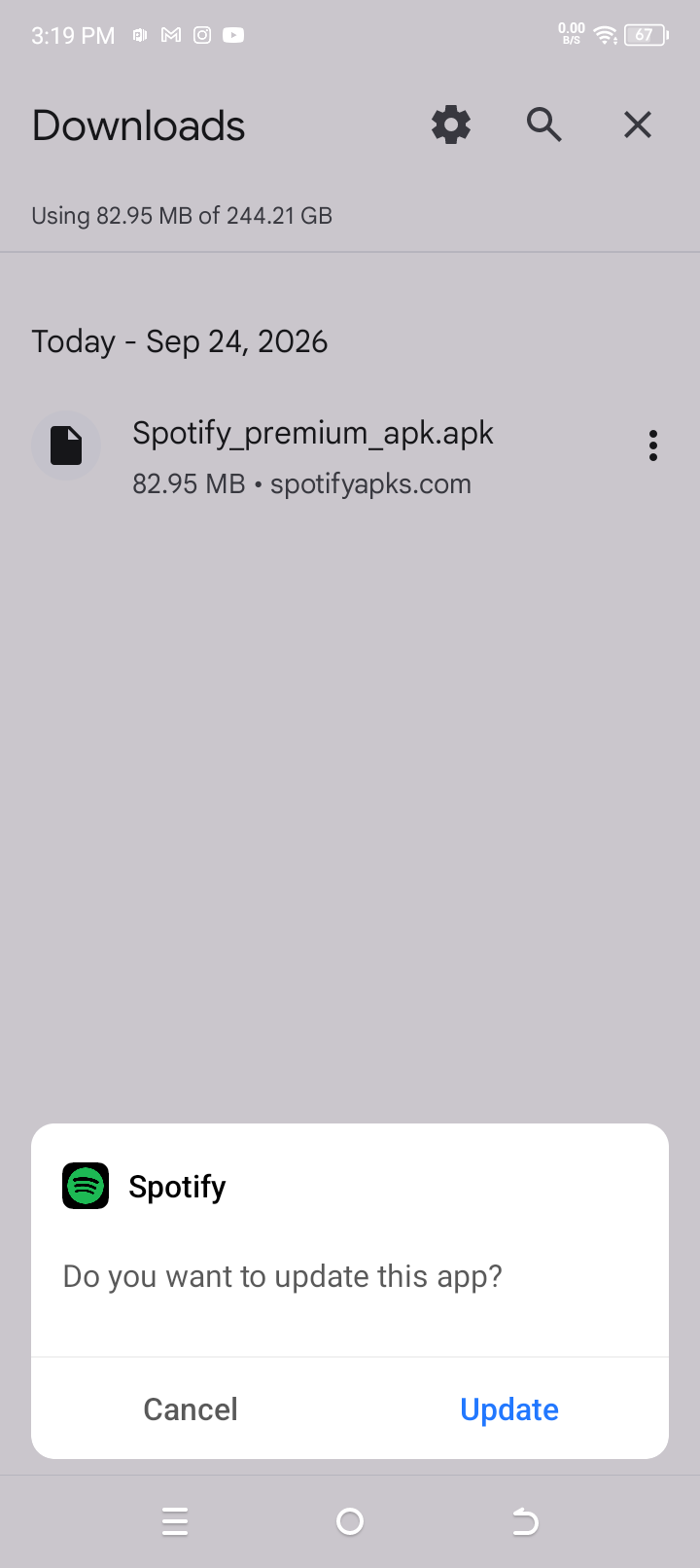
Android should now open the package installer. If your browser or file manager does not already have permission to install APK files, Android will display a security message instead of continuing with the installation.
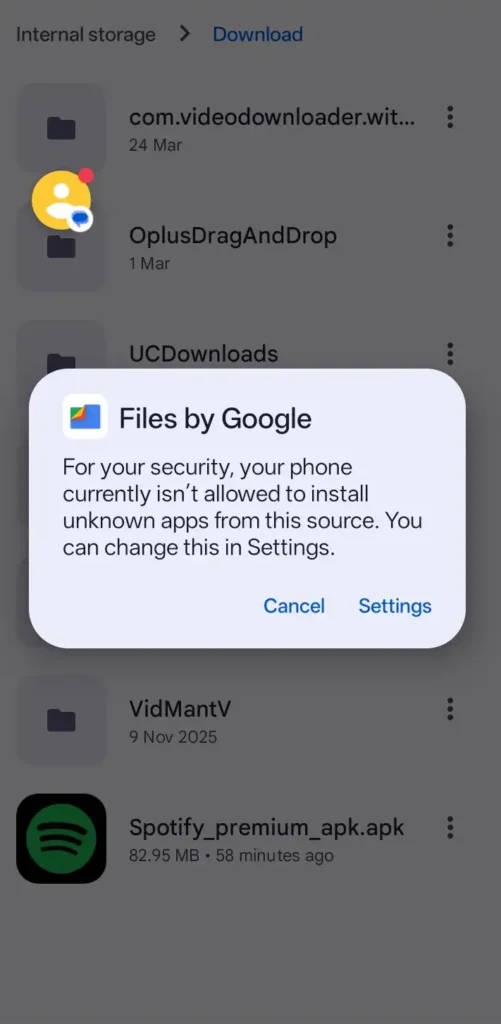
Step 3: Allow Installation From This Source
If the security message appears, tap Settings. Find Allow from this source and turn it on for the app you used to open the APK, such as your browser or file manager. This permission is given to the individual source app. For example, allowing your file manager to install unknown apps does not automatically give the same permission to your browser.
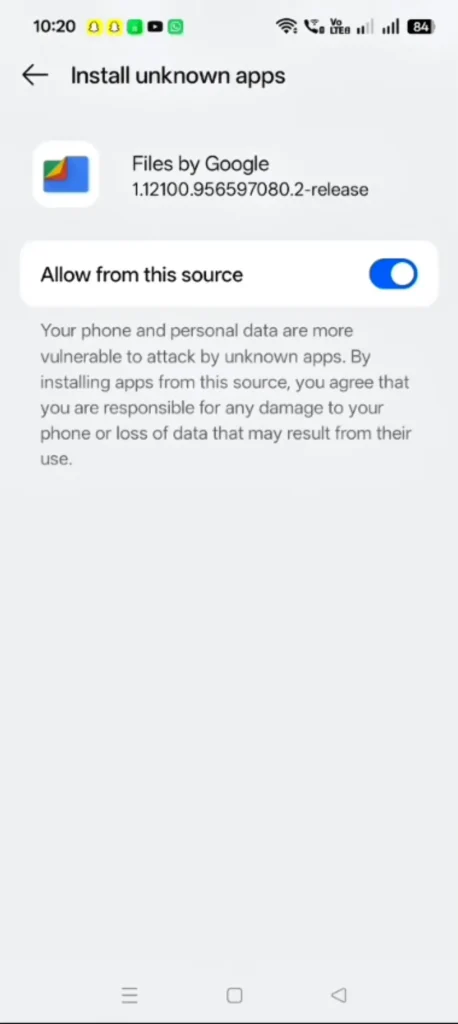
Step 4: Install the Spotify APK
The exact menu name and location can differ depending on your phone and Android version.
Install Unknown Apps Paths by Phone
| Phone | Path |
|---|---|
| itel | Settings
App Management
Special App Access
Install Unknown Apps
Files by Google |
| OPPO | Settings
Security & Privacy
More Security & Privacy
Installation Sources
Files by Google |
| Samsung | Settings
Security and privacy
Install unknown apps
My Files |
| vivo | Settings
Apps & permissions
Permission management
Install unknown apps
Files by Google |
After you turn on Allow from this source, Android returns to the previous installation request and the Spotify APK begins installing. You do not need to tap on the apk file to start the installation process. Wait for the installation to finish.
In our test on the OPPO A5x, Spotify installed successfully and was ready to open. After installation, you can turn Allow from this source off again if you do not want the browser or file manager to keep permission to install APK files.
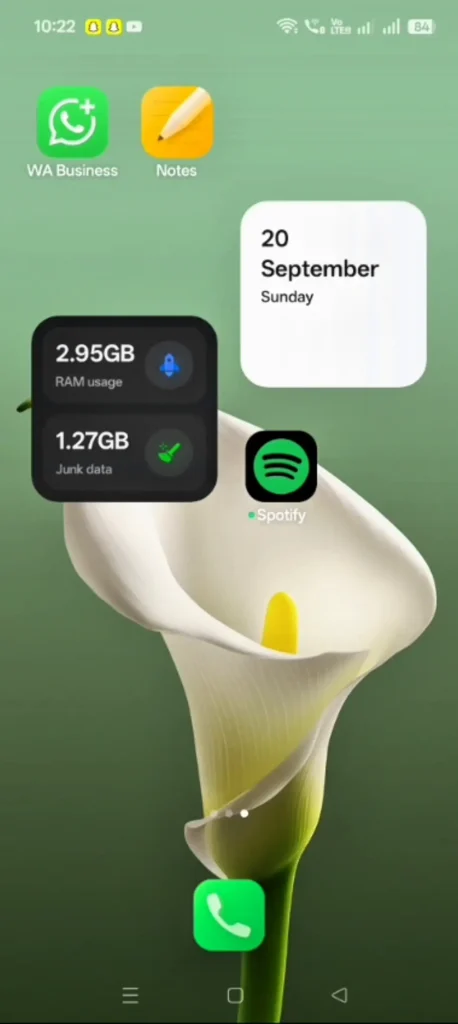
Step 5: Open Spotify and Sign In
Tap Open after the installation finishes, or open Spotify from your app list. You can then sign in with an existing account or create a new one. During our test, the quick signup option did not work.
We created an account manually by entering an email address, and the account was created successfully. This result applies to the build we tested and does not mean the quick signup option will fail on every version.
Spotify Mod version Not Installing
If the Spotify APK does not install, check the error or warning shown by Android first. Installation can fail because of Install unknown apps permission, Play Protect or another security check, an existing Spotify installation, insufficient storage, an incompatible APK, or a damaged download.
For detailed troubleshooting steps for each of these problems, see our Spotify Premium APK Not Installing guide.
FAQs
Can I install a modified Spotify version without enabling Unknown Apps?
Usually not if you are installing the APK manually outside the Google Play Store. Android may require you to enable Allow from this source for the browser or file manager you use to open the APK. This permission only applies to that particular source app.
Do I need to uninstall the official Spotify app first?
You may need to uninstall the existing Spotify app if Android refuses to install the MOD APK. This can happen when the installed app and the downloaded APK are signed with different certificates. If the MOD installs without a conflict, uninstalling the existing app may not be necessary.
Can I turn off “Allow from this source” after installation?
Yes. The permission is needed to allow the selected browser or file manager to install APK files. Once Spotify has been installed, you can return to the same setting and turn Allow from this source off.
Can this mod version be installed on an iPhone?
No. An Android .apk file cannot be installed on an iPhone or iPad. iOS uses .ipa files instead. If you want to install a modified Spotify version on an Apple device, you need an iOS-compatible IPA and a supported sideloading method.